
Exploring Your Issue
Exploring Your Issue
Each issue of Action comes with a wealth of resources, including engaging videos, detailed lesson plans, interactive skill-building activities, and more! Here’s help getting started.
Finding Your Access Code
Finding Your Access Code
To activate your Action Digital subscription, you'll need your access code. This unique 8-character code can be found on the first page of the Teacher's Guide that is packaged with your issues.
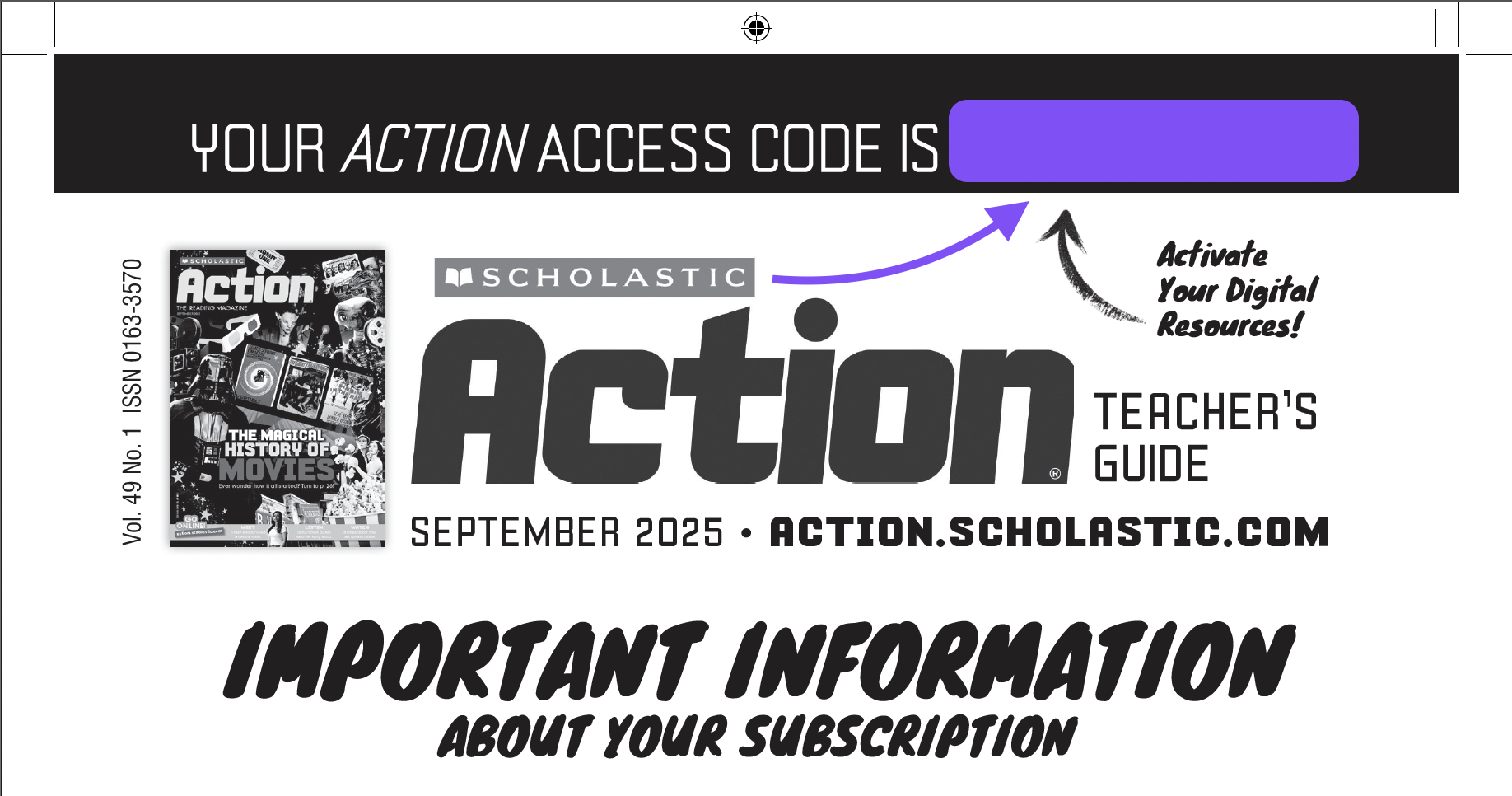
We also include the access code at the bottom of all of our e-newsletters.
Your Homepage
Your Homepage
When you log in, you’ll come to your teacher homepage. Your latest issue will always be at the top of the page, just one click away:
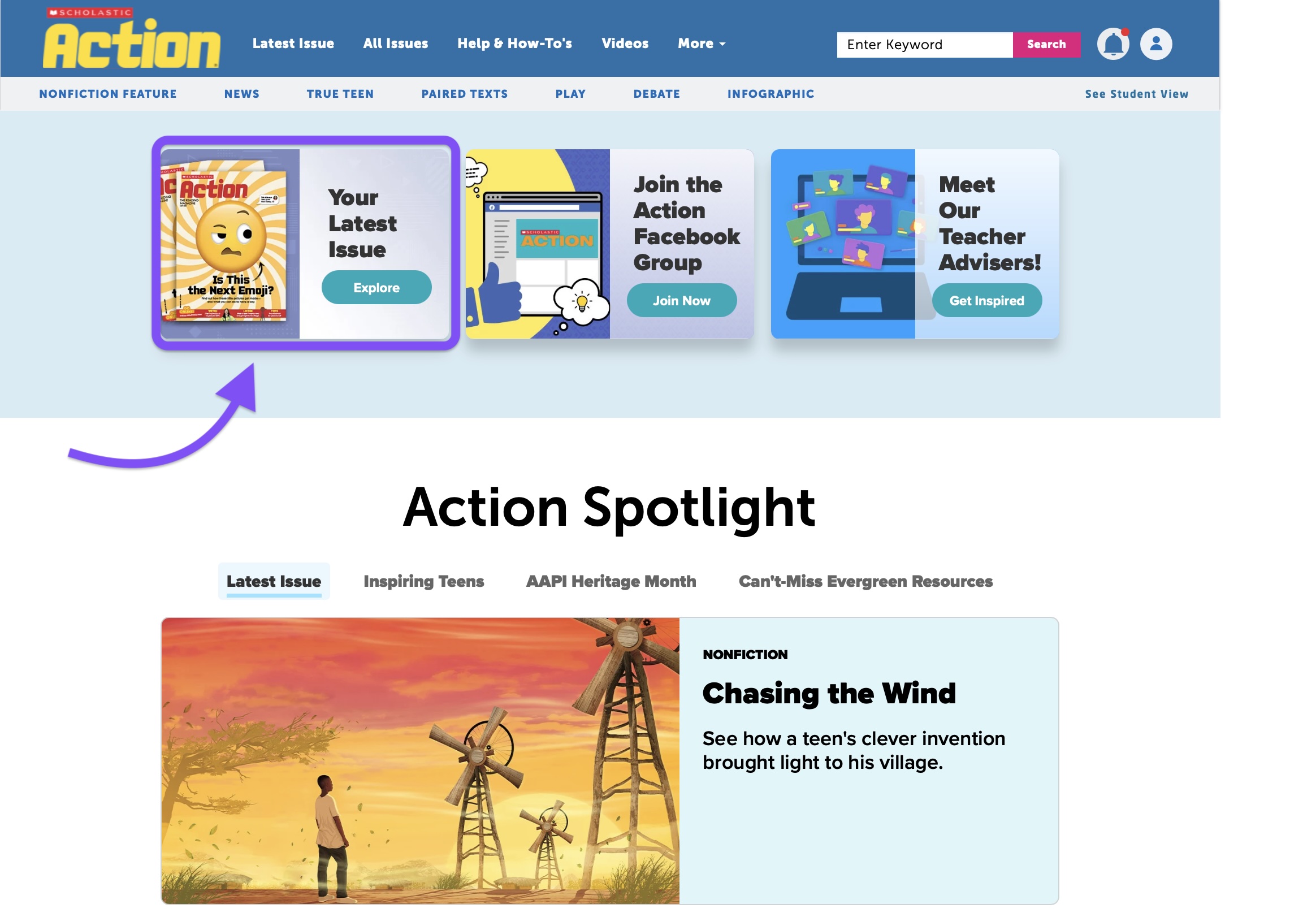
But take a moment to browse around, and you’ll see all kinds of featured content, like seasonal spotlights, special themed collections, and our most popular videos.
Your Issue Page
Your Issue Page
Now let’s click on the latest issue link to see the digital resources that come with each issue.
This is the issue page, where you’ll find everything you need to teach the issue. At the very top of the issue page, you’ll see the featured videos, as well as links to our Answer Key, Teacher’s Guide, and more.

Scroll down and you’ll see all the articles in this issue, along with their associated resources, like videos, Slide Decks, skill builders, and Lesson Plans.
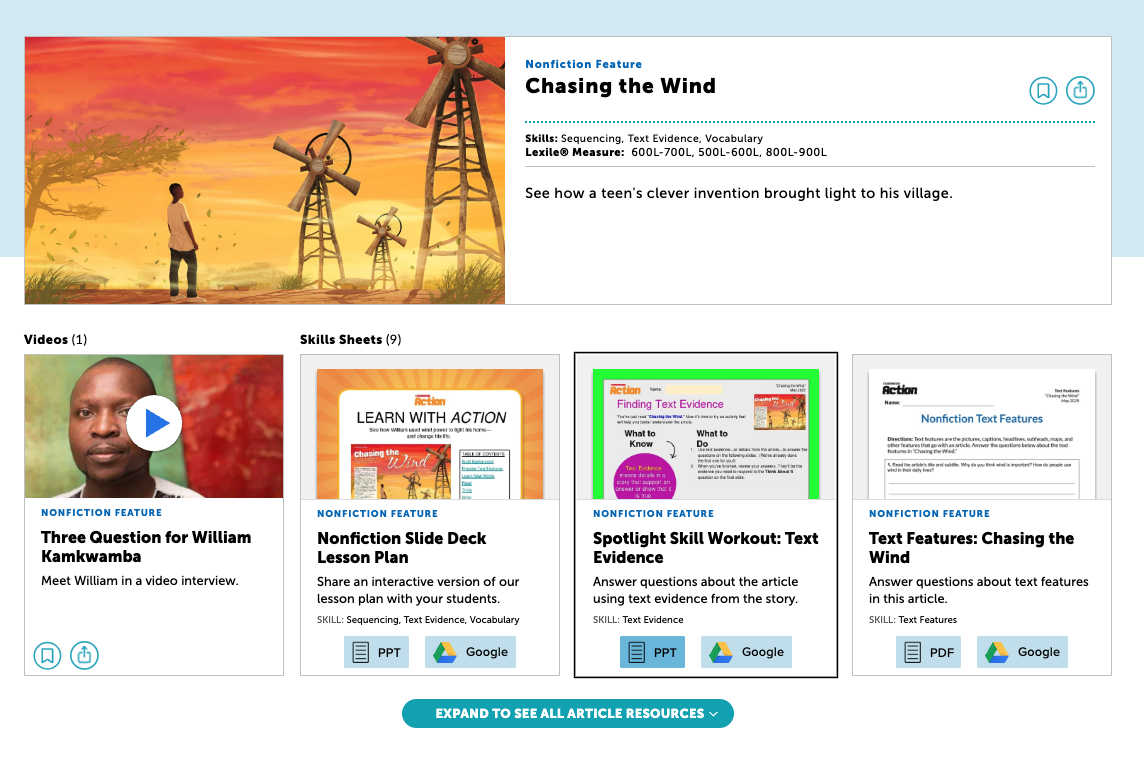
You can also click the Teaching Resources tab to see all of that issue’s resources listed together.
